- Navigate To
- Getting Started
- Login Help
- Account Information
- Statements & Documents
- Manage Money
- Card Help
- Manage CDs
- LoanCare
Open an account
Opening an account online is quick and secure. Follow the steps below to understand what to expect and how to complete the process without delays.
What you'll need
To help things go smoothly, have the following ready:
- Your personal information (legal name, date of birth, address, phone number)
- Your Social Security number
- A few minutes to review required disclosures
Steps to submit your application
Select your accounts
Choose the product(s) you want and agree to the terms of the E-Sign Consent.
Provide your details
Enter your basic information, choose your account ownership (Single, Joint or Custodial), then provide a few additional details to verify your identity and meet federal banking requirements.
You’ll also be asked a couple of questions about your initial and future source of funds, which helps support secure and compliant account activity.Review important documents
Review your new account terms, including your Personal Account Terms, Disclosures & Agreements booklet and our Privacy Notice. These outline important account terms and explain how your information is used.
Choose your funding method
Fund your account immediately with an online transfer or mobile check deposit, or choose an option to fund later with a wire transfer, mailed check or direct deposit.
Review your application status
You will be presented with a final application screen that will provide details about your progress, including if your account is opened or if we need additional information.
Have an extra minute?
Register for online banking directly after opening your account and you won’t have to re-enter any information. It’s quick and easy.
Quick answers
Application process & status
You’ll know your application status as soon as you submit your application—it’s shown on the final screen and sent to you by email so you can keep it for reference.
In some cases, we may need a little more information to verify your identity. If so, we’ll let you know and explain how to securely provide documents such as a driver’s license, passport or other government-issued ID.
Yes. The platform adapts to your schedule. If your session is interrupted, you can easily pick up where you left off. To do this, select the Save for Later option. If you haven’t completed your personal information, you will need to provide your date of birth and Social Security number in the pop-up window before you leave the application.
Then, we’ll send you an email with directions on how to get back to your application, at a time that works for you.
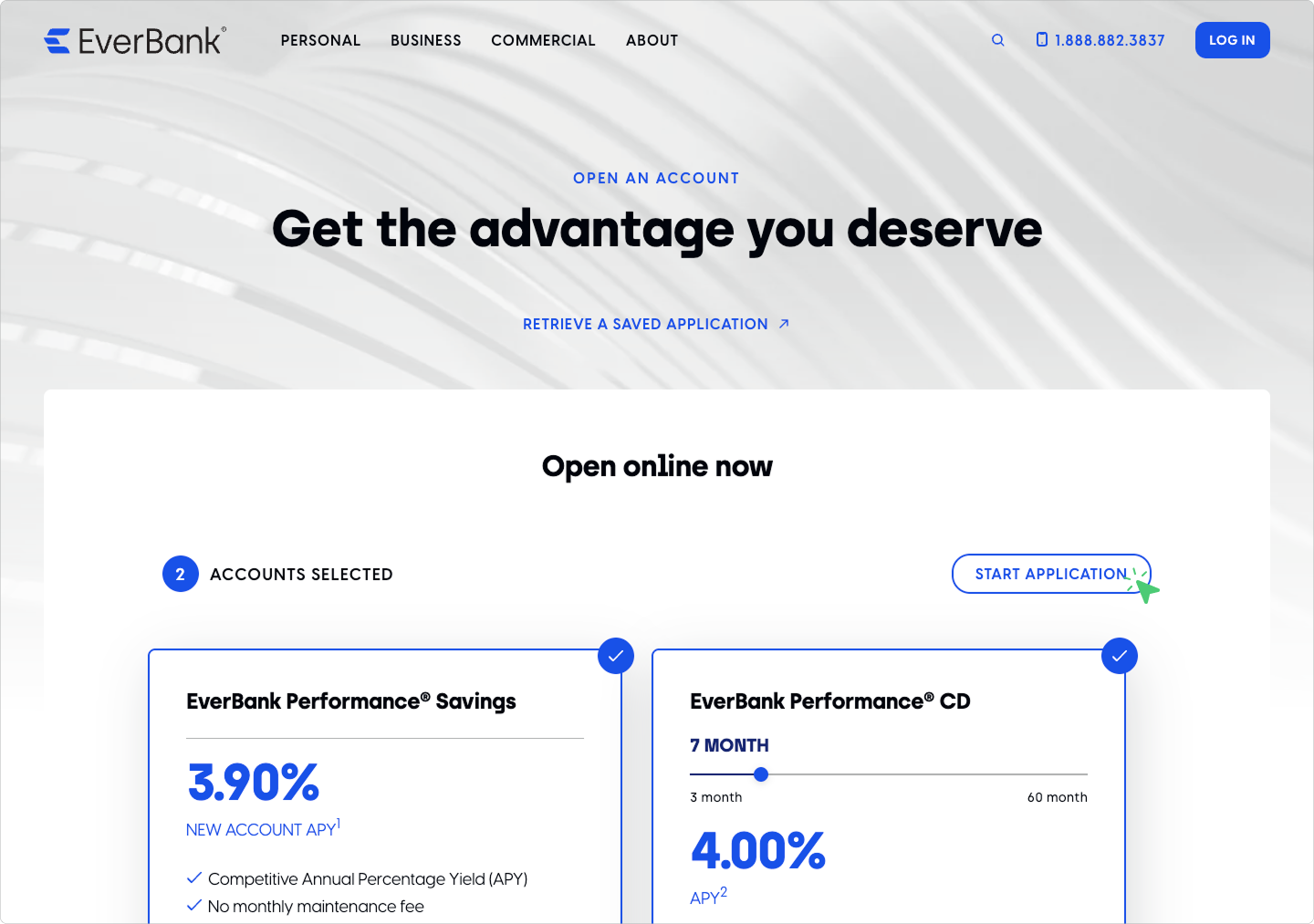
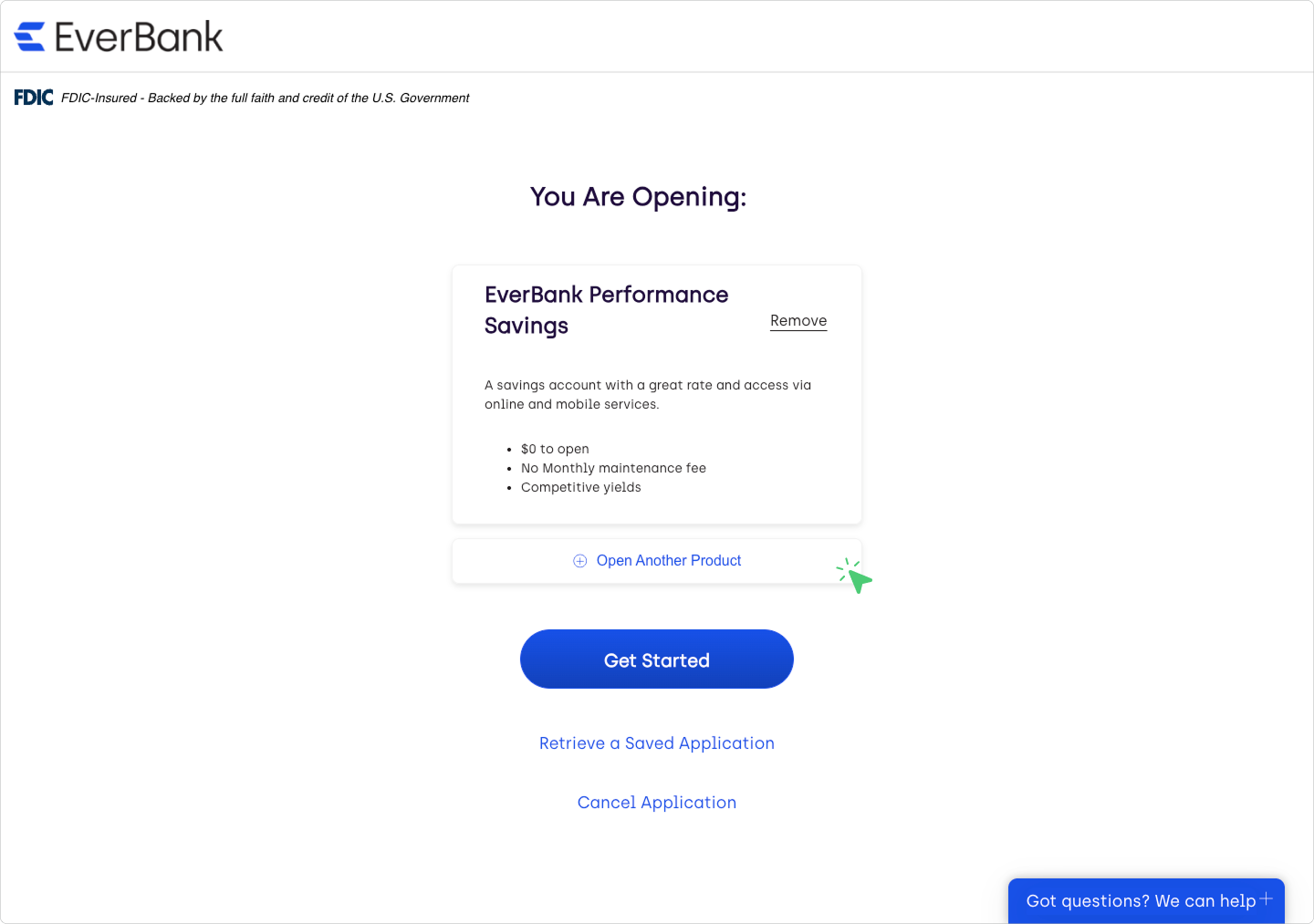
Yes, applying for multiple products is simple and convenient. You can choose which accounts you’d like to open from the product selection screen or from the product confirmation screen.
Product Selection Screen:
Product Confirmation Screen:
Check our rates before you open an account. You can find the current Annual Percentage Yields (APYs) for available EverBank personal banking products at everbank.com/rates.
Account funding
Fund quickly and securely with a bank transfer. Or choose a different option to continue your application and send a deposit once your account is open.
Money from another bank account: Connect to another bank using your online banking login credentials or verify the account using micro deposits.
Money from another EverBank account: Available for existing clients. This option allows you to transfer funds internally from an existing EverBank account.
Deposit by phone (mobile check deposit): Available when applying on a mobile device. Write a check payable to yourself and deposit it by taking photos within the application.
Wire transfer: Record our information to give to the sending financial institution. Your new account number will be presented after you complete your application.
Mail in check: Write a check payable to yourself and mail it to our deposits address.
Direct deposit: Set up direct deposit with your employer or payor using our routing number and your new account number. Your account number will be displayed after you complete your application.
Eligibility & requirements
You must meet specific criteria to establish your account.
- You must be at least 18 years old
- You need a physical U.S. street address (no PO Boxes)
- You need a valid U.S. Social Security number or Tax Identification Number
- You must physically reside in the United States
No, EverBank products and services are intended solely for people who physically reside in the United States.
No documentation is required when you submit your application online. However, after submission, we may need additional information to verify your identity or address.
If more information is required, you'll land on a “We need more info” screen where you can upload the required documents. Please note that if you navigate away from this screen, you will not be able to return to it, and you'll need to mail your information to us. If this is the case, we'll contact you by email with clear instructions.
You may be asked to provide copies of one or more of the following:
- A valid government-issued ID (such as a driver’s license or passport)
- A signed Social Security card
- Proof of address, such as a property tax bill, utility bill, insurance bill, or mortgage statement
Once we receive and review the requested documents, we’ll send you an updated application status by email.
Account types & ownership
Our online application offers two simple ways to open a joint account:
- Apply together in the same session: If both applicants are present, you can complete the joint application at the same time.
- Invite a joint applicant later: If the other applicant is not available, you can submit your portion first and then send an invitation for them to complete their part separately.
Both options provide the same joint account access once the application is complete.
A custodial account is an account opened by an adult for the benefit of a minor. The adult (the custodian) manages the funds in the account until the minor reaches the age of majority, at which point full ownership and control transfer to the child. Custodial accounts are commonly used to save or invest for a child’s future, such as education or other long-term goals.
The EverBank online application supports opening custodial accounts. Please have the following information ready:
- Your personal information (legal name, date of birth, address)
- Your Social Security number
- The minor’s personal information (legal name, date of birth, address)
- The minor’s Social Security number
You can't open a trust or estate account online. You need to call our client solutions team at 1.888.882.3837 to start the application process.
Our team is available to help you navigate the requirements for fiduciary accounts. We offer account structures designed for trust administration, estate management and court-ordered accounts. Please have your legal documentation ready when you call so we can process your application.
Other ways to open an account
You can apply for most EverBank accounts in person at one of our financial centers. We offer locations across Florida, California and New York with representatives available to assist you with your application. Financial center hours are Monday – Friday, 9 a.m. – 5 p.m.
You can open most EverBank accounts by calling our client solutions team at 1.888.882.3837. Representatives are available to assist you with the application process Monday – Friday from 8 a.m. – 10 p.m. (ET) and Saturday from 9 a.m. – 7 p.m. (ET).
Existing clients registered for online banking can apply for additional accounts by uploading a completed PDF application to the Documents Center.
We’re here for you
If you still need help or can’t find what you’re looking for here, contact us today.
Search for a fee-free ATM near you
Access your money any time by visiting one of our more than 80,000 fee-free ATMs nationwide.x
Find forms and applications
Manage your existing account or open a new one using a downloadable form from our library.
Tooltip
Tooltip content